Common Questions About Weather Stations: Simple Answers for Everyone
When you check weather forecasts on your phone or the news, you’re using data from weather stations. What are they? How do they work? Do you need one for your home? Why do forecasts sometimes seem wrong?
Here are the most common search questions about weather stations. We will answer them in simple language. This is for you if you are curious, thinking about a home model, or want to learn about weather data.
1. What Is a Weather Station, Exactly?
A weather station has sensors that measure important weather and climate conditions. These include temperature, rainfall, wind, humidity, and air pressure.
They come in many types. Some are small and affordable for backyards. Others are large, high-tech systems. These professional systems run all day and night. They also send data to global weather networks.
Weather stations are not just one device. Each sensor has a specific job. For example, a thermometer measures temperature. An anemometer measures wind speed. A rain gauge measures how much rain falls. Some gauges also measure UV light, solar radiation, or lightning.
Sensor data is saved locally on a home station’s display. It can also be sent to a computer or phone app for viewing. Professional stations, such as those run by the UK’s Met Office or U.S. National Weather Service, form vast global networks.
The Met Office runs more than 350 weather stations in the UK. These stations are about 40 kilometers apart on average. This setup helps meteorologists see weather systems clearly for accurate forecasts.
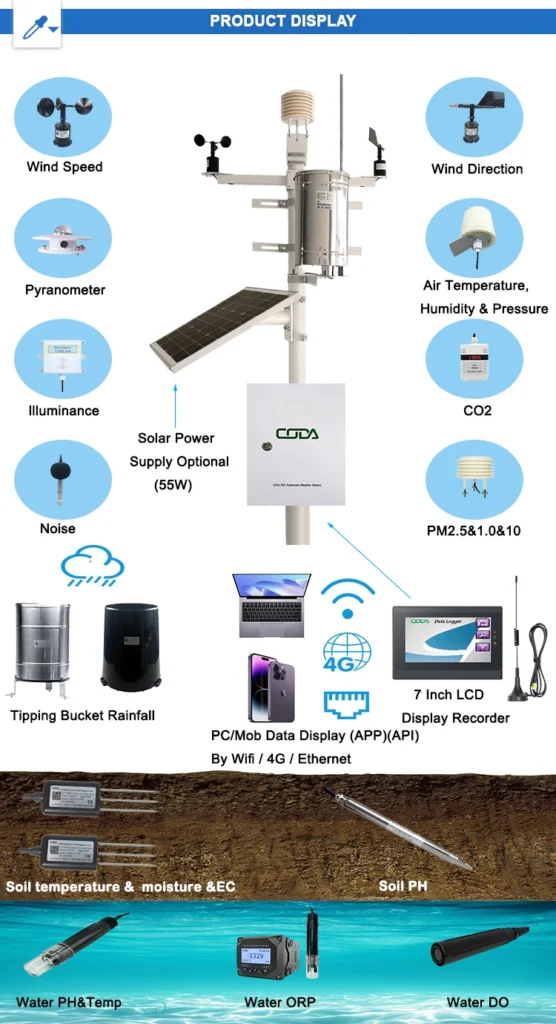
2. How Do Weather Stations Work?
All weather stations do three simple things: they measure, record, and share data. They can do this all the time or at set times.
Step 1: Measuring the Weather
Each sensor measures one specific weather factor. They have simple functions:
Thermometer: Digital models are more accurate than glass ones. They measure temperature by detecting changes in electrical current.
Hygrometer: It measures air moisture as a percentage. High humidity makes hot or cold temperatures feel stronger.
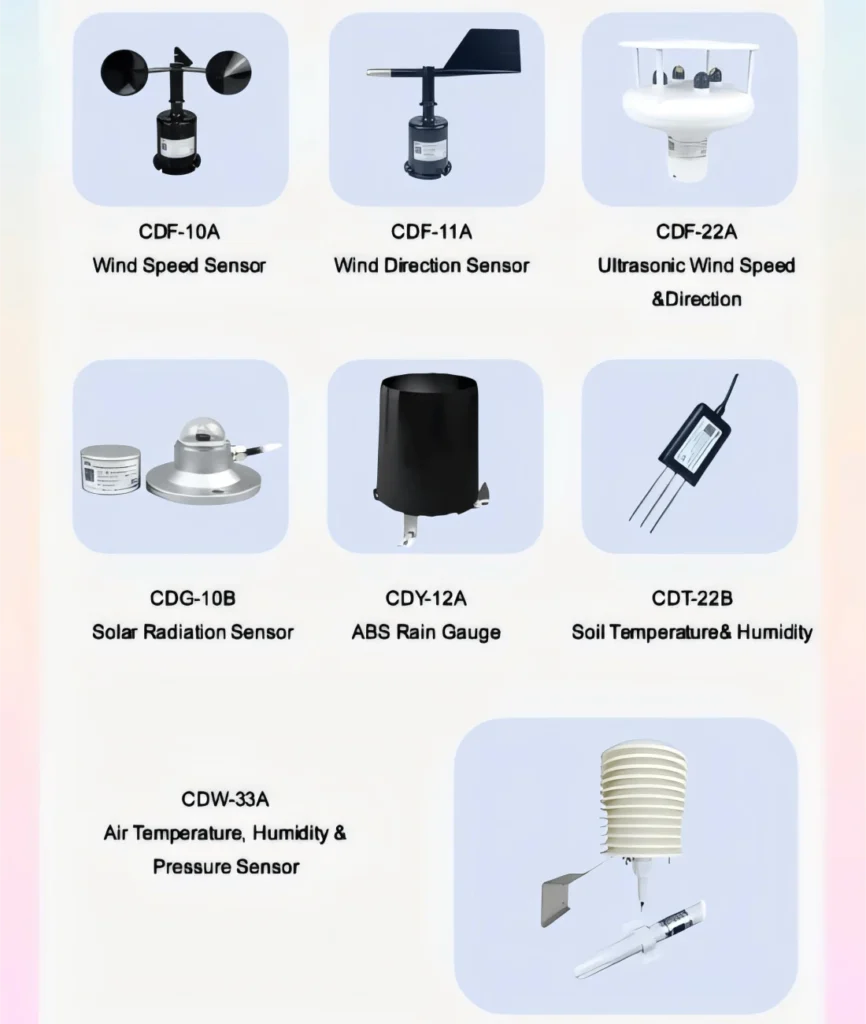
Anemometer: Spinning cups measure wind speed. Many of these devices also have a wind vane to show direction: north, south, east, or west.
Rain Gauge: Home models collect water and measure its height to show rainfall in mm or inches. Professional models use tipping-bucket gauges for accurate measurements.
Barometer: Tracks atmospheric pressure. Low pressure signals rain or storms. High pressure means clear and calm weather.
Other Sensors: Some stations include pyranometers to measure solar radiation. They also have lightning detectors and UV index sensors. These tools are helpful for solar panel owners and for planning outdoor activities.
Step 2: Recording the Data
Home stations show real-time and past data, like weekly rainfall, on a display inside. Professional automatic stations record measurements every minute.
They send data to a central hub automatically. Manual professional stations are now rare. They are checked and recorded by hand once a day.
Step 3: Sharing the Data
Home users can see data on a station display, phone app, or computer. Most modern home models connect to Wi-Fi for remote access. Professional weather stations send data to national and global weather centers, like the Met Office in Exeter. This data is checked and used for phone weather apps, news forecasts, and tools for farmers and pilots.
3. Why Do Weather Stations Sometimes Give “Wrong” Readings?
Most “inaccurate” readings stem from poor placement, uncalibrated sensors, or small local weather differences—not broken equipment.
The Biggest Reason: Placement
Home station users often make simple placement mistakes that skew data; fix these for accurate readings:
Keep the station 10+ meters from buildings/trees (they block wind, trap heat, and shelter from rain).
Put it on grass or soil. Do not place it on concrete or asphalt. These surfaces absorb heat and raise temperature readings.
Ensure sensors are level and aligned (per manufacturer instructions)—tilted rain gauges or misaligned wind vanes give false data.
Place temperature and wind sensors at least 1.5 meters above the ground. Wind sensors should be higher than nearby obstacles to measure the full wind force.
Calibration: Making Sure the Sensors Are Accurate
Sensors can lose accuracy over time due to dust, dirt, or wear. Calibrate home stations every 6 to 12 months. Use the calibration feature in most apps or displays.
This helps match your readings to a nearby professional station. You can also pour a known amount of water into a rain gauge to check its accuracy. Always follow the manufacturer’s calibration guidelines for your model.
Small Differences Are Normal
Even well-placed, calibrated stations will have minor reading differences. Microclimates, like sunny and shady spots or low areas and hills, can create a temperature difference. This difference can be 1 to 2°C between weather stations that are just 1 kilometer apart. These variations are normal and reflect local weather differences, not faulty equipment.
4. Do I Need a Home Weather Station? Who Benefits Most?
A phone weather app is good for daily planning. However, a home weather station is very useful for those who need precise, local weather data. The top beneficiaries are:
Gardeners and farmers should track humidity and rainfall. This helps them adjust watering. They can also use temperature data to time planting and harvesting. This method is much more accurate than town-wide forecasts.
Outdoor Lovers: Plan hikes, camping, golf, and fishing with live wind, rain, and humidity data. Track weather patterns over time to plan better trips.
Solar Panel Owners: Solar radiation sensors tell you when panels make the most energy. This helps you get the most from your solar investment and lower your energy bills.
Weather Lovers: Keep track of daily, weekly, and monthly weather data. Make your own forecasts and share them with local meteorologists. This helps improve forecasts for the community.
Remote Area Residents: Professional stations are spaced 40+ kilometers apart, so home stations provide exact local data that town-wide forecasts miss.
You don’t need a home station if you live in a city or suburb. In these areas, app forecasts are very accurate. This is because there are many professional weather stations nearby. You also don’t need one if you don’t need detailed weather data.
5. How to Choose a Home Weather Station (Simple Buying Guide)
Home weather stations cost between $35 and $559 or more. The best model for you depends on your budget, the data you need, and how easy it is to use. Here’s a simple guide to help you choose:
Decide What Data You Want to Measure
Basic ($50–$100): This type measures temperature, humidity, and sometimes barometric pressure. It is easy to set up, like the La Crosse Technology model, which is a top value choice.
Mid-Range ($100–$200): This is the most popular choice. It measures temperature, humidity, wind, rain, and pressure. It also has Wi-Fi for phone access. An example is the Ecowitt Wittboy, which adds UV and solar radiation.
Advanced ($200–$500+): This includes all mid-range data. It also has lightning detection, soil moisture, and more. It is very accurate for serious users. An example is the WeatherFlow Tempest, which is rated the best overall.
Key Features to Look For
Prioritize these core features for a reliable home station, no matter your budget:
Accuracy: Stay away from models under $50 because they have low-quality sensors. Check user and expert reviews from sources like The Spruce or Popular Mechanics.
Wi-Fi Connectivity: Make sure it works with iOS and Android for remote data access. Many devices let you share data with global networks like Weather Underground.
Easy Setup: Most mid and advanced models take 30 minutes or less to install. The WeatherFlow Tempest is the easiest to set up.
Durability: Choose weather-resistant (plastic/metal) outdoor sensors that stand up to rain, snow, and extreme temperatures.
Choose a clear and bright display. Backlighting is useful for using it at night. The Sainlogic Wireless Weather Station has a highly rated indoor display.
Power Source: Solar-powered sensors reduce the need for battery changes. Battery-powered models need new batteries every 6 to 12 months. Hybrid models, which use both solar and battery, are the most reliable.
Top Recommendations
These models are the most popular and highly rated by leading home and tech sites:
Overall: WeatherFlow Tempest ($274) – accurate and easy to set up. It detects lightning, connects to Wi-Fi, and tracks all key weather metrics.
Value: La Crosse Technology ($80) – basic, affordable, and a clear display for temperature, humidity, and pressure.
For Outdoor Use: Ecowitt Wittboy ($200) – durable, 7 data points, Wi-Fi, and no dedicated display (phone access only).
Display: Sainlogic Wireless ($110) – mid-range model with a clear indoor display for core weather metrics.
Premium: Davis Vantage Pro 2 Plus ($559+) – very accurate and durable. It also measures soil moisture and leaf wetness. This is great for farmers and serious weather fans.
6. How to Set Up a Home Weather Station (Step-by-Step Guide)
Most home weather stations take 30 minutes or less to set up—even for beginners. The key is to place the sensor correctly and follow the manufacturer’s instructions. Here is a simple step-by-step guide:
Unbox and Organize: “Take out all parts: indoor display, outdoor sensors, mount, batteries, and instructions. Check if anything is missing.”
Set Up the Indoor Display: Put in the batteries, turn it on, and connect to Wi-Fi if needed. The display will look for outdoor sensor data.
Install Outdoor Sensors: Place sensors in a clear, grassy area. They should be at least 10 meters away from objects and 1.5 meters high. Make sure they are level and aligned. Insert batteries or use solar power.
Test the Station: Check that the display shows real-time outdoor data. Test the rain gauge with a little water. Wave your hand near the wind sensor to test it. Check the battery placement and sensor range. Most models have a range of 100 to 300 meters. Do this if data isn’t showing.
Keep the Station in Good Shape: Clean the sensors with a soft cloth every few months. This will remove dust and debris.
Check the batteries every 6 months. Trim the grass and bushes nearby. In winter, brush snow off the sensors. Also, clean the solar panels to help them charge well.
7. How Do Professional Weather Stations Differ from Home Stations?
Professional and home weather stations use sensors to collect data. However, they differ a lot in size, accuracy, data use, and cost.
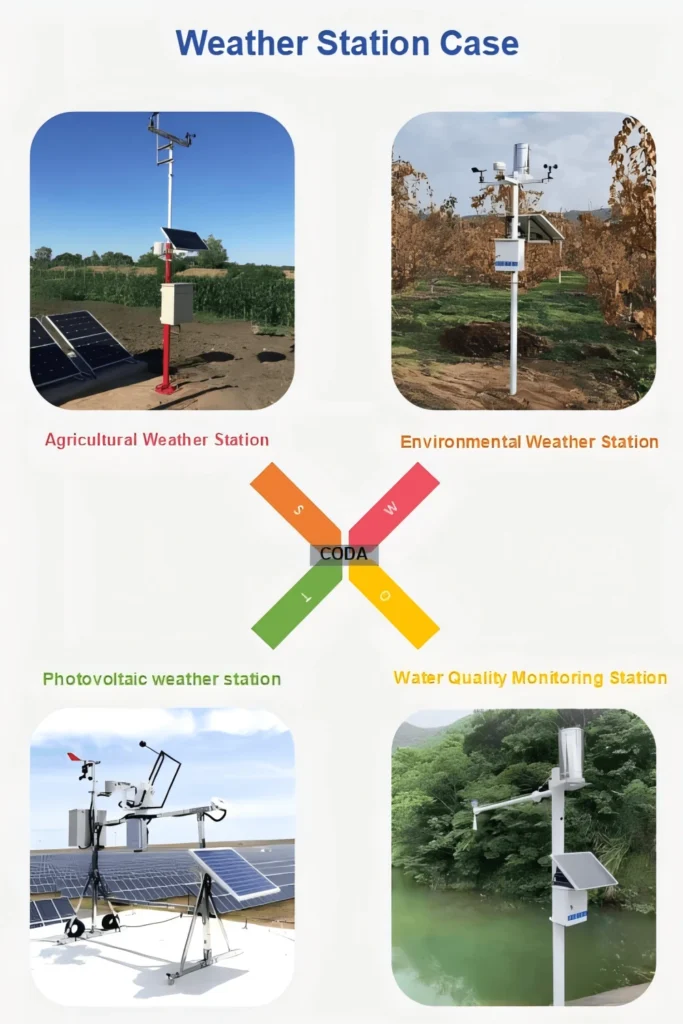
Professional weather stations are large. They are kept in protective huts. These stations have extra sensors for cloud height, visibility, and air quality. They operate all day and night as part of global networks. Home stations are small, portable, and have basic to mid-range sensors.
Accuracy: Professional sensors are high-quality and calibrated every day. They measure small amounts, like 0.1mm of rain. They can also tell the difference between rain, snow, and sleet. Home stations are good enough for personal use, but they are not very precise.
Professional weather stations send real-time data to national and global weather centers. This data helps with official forecasts, storm tracking, and climate research. Home station data is for personal use. You can share it if you want. It is not used for official forecasts unless it is part of a large home station network.
Cost: Professional stations cost a lot to install and keep running. They are funded by governments and weather agencies. Home stations are affordable, costing between $50 and $500. They are made for everyday consumers.